Design System
The components and design language behind Driverize.
The foundation of the Driverize identity
Driverize is an online appointment booking platform. We serve everyone from solo professionals to multi-location businesses, handling one-on-one appointments, group sessions, and mobile services in one place.
Tagline
Drive yourself.
Mission
Build the best online appointment booking experience — for businesses and their customers.
Values
- Simplicity — easy to set up, easy to use, no learning curve
- Reliability — bookings just work, every time
- Empowerment — built for people betting on themselves
- Clarity — no jargon, no clutter, no confusion
Core color tokens used across the product
Core
Primary
--primary
Secondary
--secondary
Accent
--accent
Destructive
--destructive
Surfaces
Background
--background
Card
--card
Muted
--muted
Popover
--popover
Text
Foreground
--foreground
Muted Foreground
--muted-foreground
Primary FG
--primary-foreground
Destructive FG
On destructive
All colors adapt automatically between light and dark mode. Toggle the theme to preview.
Type scale, weights, and usage guidelines
Type Scale
Heading 1
text-4xl · font-bold · Page titles
Heading 2
text-3xl · font-bold · Section titles
Heading 3
text-xl · font-semibold · Subsections
Heading 4
text-lg · font-semibold · Card titles
Body
text-base · Default body text
Small / Muted
text-sm · text-muted-foreground · Descriptions, helper text
Label
text-xs · uppercase · tracking-wider · Category labels
Font Stack
Primary: Inter — a clean, geometric sans-serif inspired by San Francisco (macOS). Consistent across all platforms.
Handwriting: Brush Script MT, Comic Sans MS, cursive
We use Inter for a consistent look across all devices. Falls back to system sans-serif. The handwriting font is used sparingly for the tagline.
Logo usage, sizes, and display rules
Primary Logo

The logo is white by default. Use invert on light backgrounds and dark:invert-0 for automatic theme switching.
Nav Icon

32×32 · Used in navbar and favicon contexts
Usage Guidelines
- Always maintain clear space around the logo
- Do not stretch, rotate, or recolor the logo
- Minimum display size: 32px height for nav, 96px for hero/feature use
- Use
logo.webpfor full logo,nav_logo.webpfor icon
How Driverize speaks to the world
Our Voice
Clear, confident, and approachable. We talk like a knowledgeable friend, not a corporation. No jargon, no buzzwords, no filler.
Tone Principles
- Be direct — say what you mean in as few words as possible
- Be human — contractions, casual phrasing, and warmth are welcome
- Be encouraging — our users are building something real, cheer them on
- Be honest — if something isn't ready, say so. No empty promises.
Do's and Don'ts
Do
- "Your booking page is live."
- "Something went wrong. Try again?"
- "Add your first service to get started."
Don't
- "Your booking page has been successfully deployed."
- "An unexpected error has occurred. Please contact support."
- "No services found in the system."
Centered title + description for page sections
Example Section
This is a reusable section header with centered text.
Form input components
Inline field validation error
Please enter a valid email address.
Loading spinner in three sizes
sm
md
lg
Content placeholder during loading
Color-coded by message level (via svelte-sonner)
Placeholder when no data is available
Add your first service to get started.
Catches and displays unexpected component errors
Content wrapped in an error boundary. If this component throws, a friendly error card appears instead.
Container with header, content, title, and description slots
With title and description
Card content goes here.
Cards are composable
Mix and match sub-components.
Image + title + description card
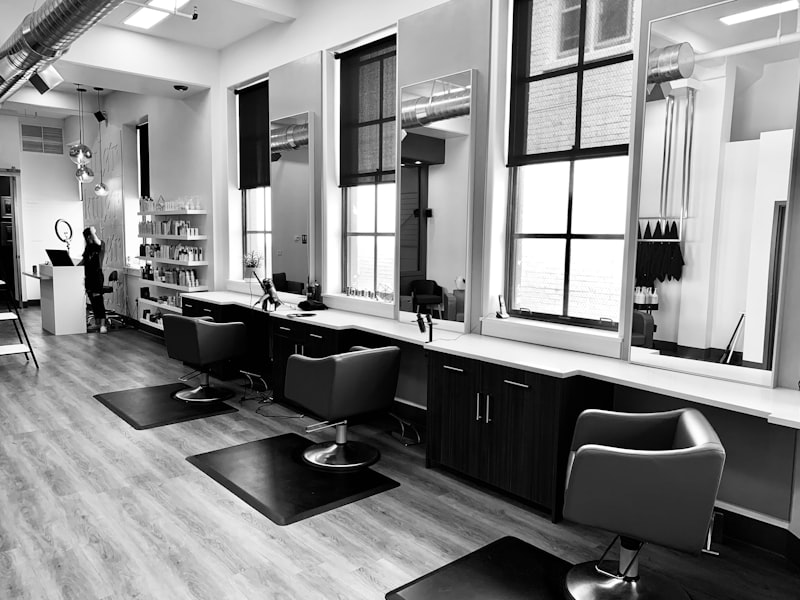
Example feature card with image, title, and description.

Another feature card showing a different image and content.
Pricing tier with features, CTA, and optional highlight
Perfect for getting started
- 1 team member
- 1 location
- Unlimited bookings
For teams managing appointments
Everything in Pro, plus:
- Up to 25 team members
- Team management
- Analytics